Short answer: AI-built websites are not automatically unsafe. The trouble starts when generated code, admin access, plugins, forms, hosting settings and backups are never checked by a real person.
That is why a website can look polished on the outside and still leave useful doors open to an attacker. The risk is not the word “AI” by itself. The risk is launching quickly and assuming the job is finished.
If your website brings enquiries, collects customer details, accepts payments or connects to other tools, security deserves the same attention as design and speed.
Why AI-built websites can create security problems
AI can produce a working page in minutes. It can also suggest code that looks reasonable but does not fit your hosting setup, your form workflow or the way your site stores information. A small mistake may stay hidden because the page still loads normally.
Many business owners do not know what was added during the build. A copied script, an old library, a test account or a forgotten backup can remain on the server long after launch. This does not mean you should avoid AI tools. It means the finished website needs a proper handover and a security review.
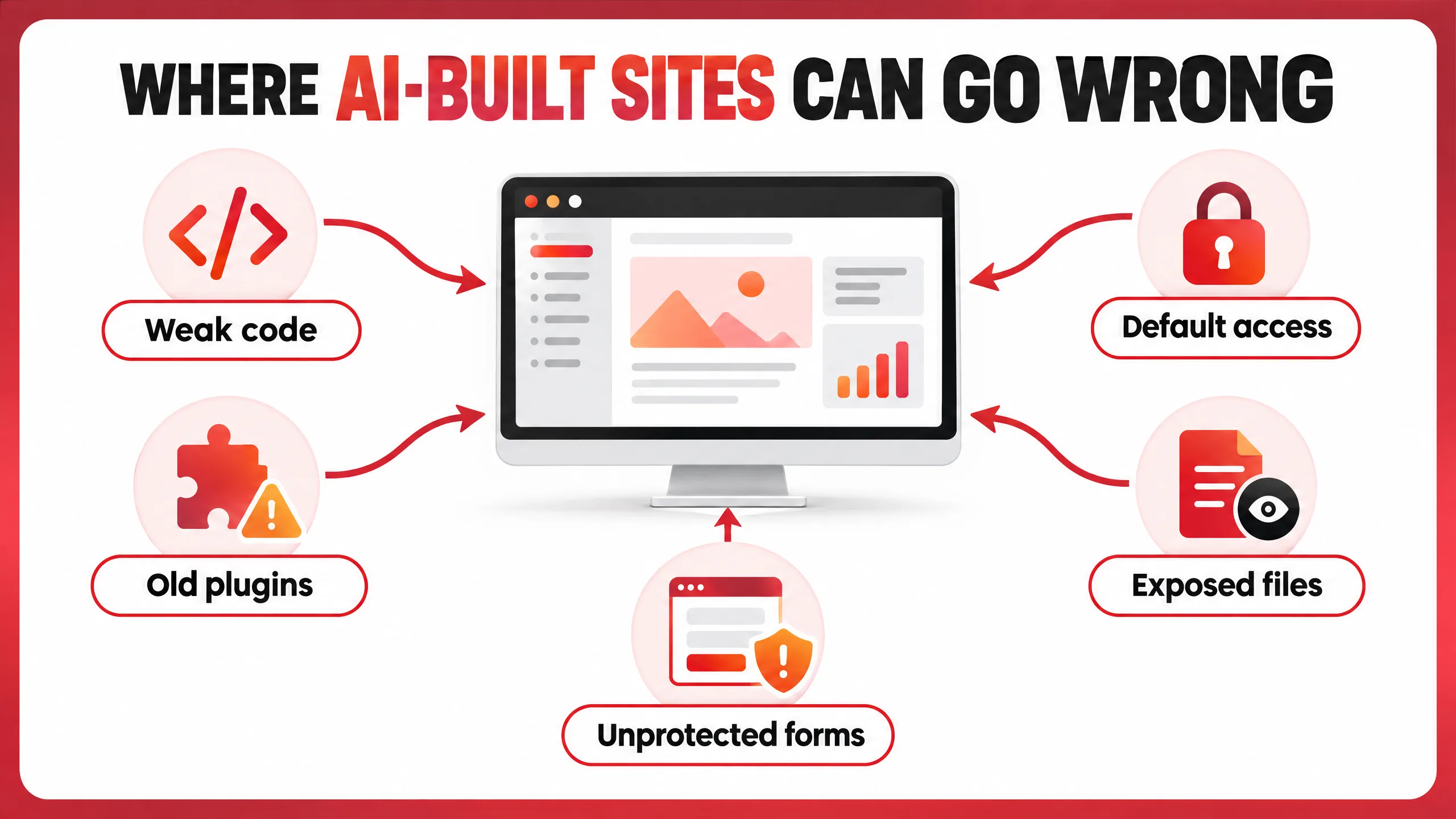
Five weak points worth checking first
1. Insecure or copied code
Generated code can miss basic protections such as input validation, safe database queries and output escaping. A contact form may work while accepting unsafe input. Code copied from an old tutorial may also depend on an outdated library or use a method that is no longer considered safe.
2. Default passwords and too much access
Many attacks begin with a reused password, an old administrator account or a shared login that nobody remembers. Remove old users, change temporary passwords and use two-factor authentication. Each person and service should have only the access it needs.
3. Old plugins, themes and dependencies
A website is not finished when it goes live. WordPress core, plugins, themes, PHP versions and JavaScript packages receive security updates for a reason. Keep a recent backup before making changes, then check the homepage, forms and important integrations afterwards. Our guide on WordPress contact forms explains why an update can sometimes affect enquiry delivery.
4. Exposed files, keys and backups
Configuration files, debug logs, old zip files and public backups can reveal more than expected. An exposed API key may let someone use another service in your name. Keep private files out of the public web directory when possible, remove test exports, rotate exposed keys and turn off debugging on a live site.
5. Unprotected forms and uploads
Public forms need validation, spam protection and sensible rate limits. File uploads need extra care too: limit file types and sizes, rename uploads safely, keep executable files out of upload folders and check where those files are stored.
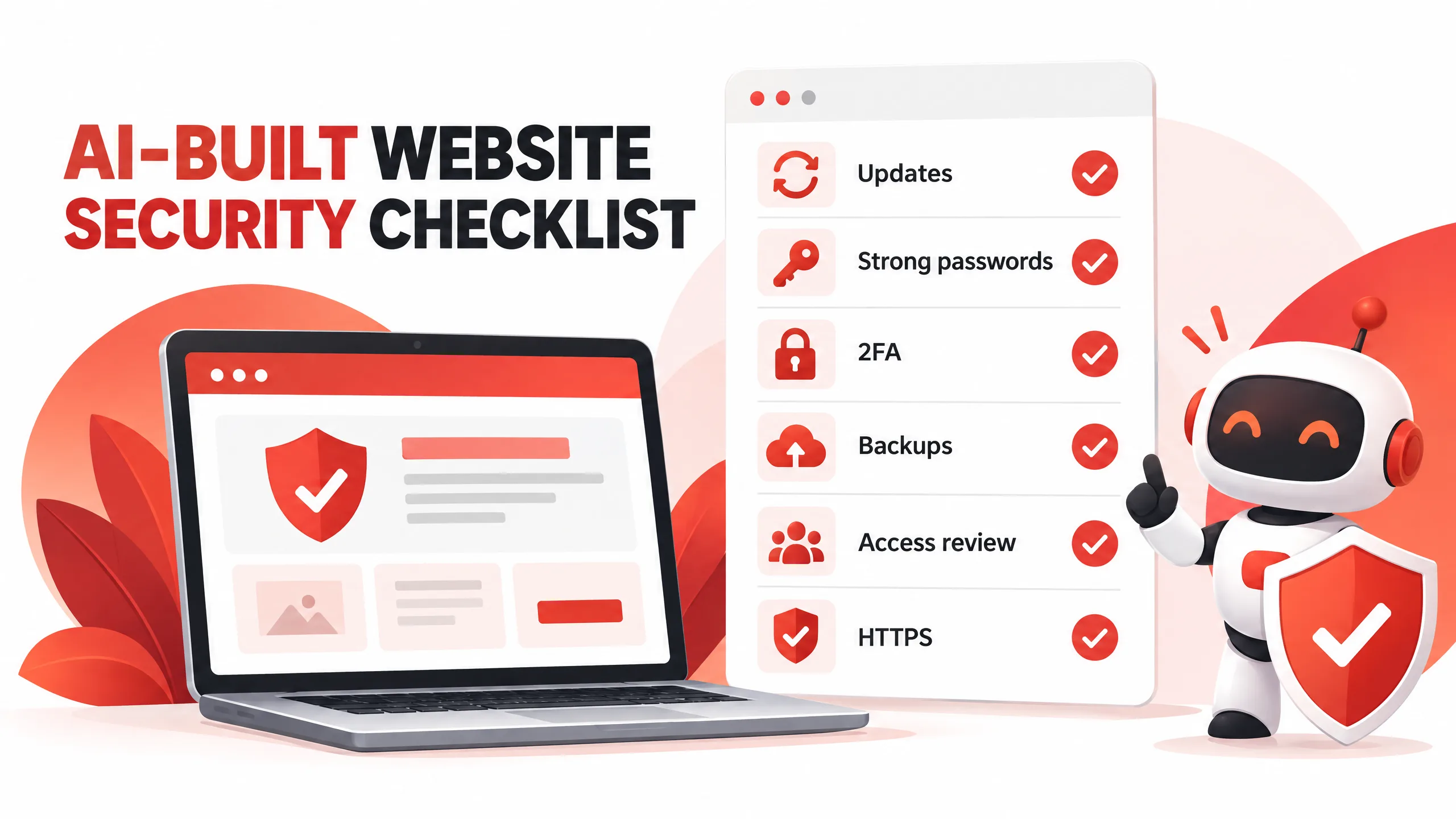
AI-built website security checklist
Start with the basics. They are not glamorous, but they stop a large share of avoidable problems.
- Use strong, unique passwords for hosting, email, the CMS and every administrator account.
- Turn on two-factor authentication for admin and hosting access.
- Remove unused plugins, themes, scripts, integrations and user accounts.
- Update WordPress, plugins, themes, PHP and third-party libraries on a planned schedule.
- Use HTTPS and check that important pages do not load mixed content.
- Protect public forms with validation, spam controls and sensible rate limits.
- Review file permissions and remove public access to private configuration or backup files.
- Keep automatic off-site backups and test restoring one before you need it.
- Check API keys, webhooks and connected services after staff or suppliers change.
- Watch login attempts, file changes, uptime and unusual traffic.
What a sensible security review looks like
A useful review is not just installing a security plugin and waiting for a green score. List the important parts: hosting, domain, CMS, admin accounts, forms, payment tools, analytics, email delivery and external integrations. Then check who can access each part and whether old accounts or keys still exist.
Review forms, uploads, login pages, redirects, error messages, robots rules and exposed directories. Check software versions and look for known issues. Finally, take a clean backup and prove that the site can be restored.
For a WordPress site, this review should sit alongside ordinary maintenance. Updates, backups, malware checks and small fixes are easier to manage when they happen regularly. See our WordPress maintenance service if the site needs ongoing attention.
Do not confuse a security tool with a security plan
A firewall or scanner can catch useful signals. It cannot tell you whether an ex-employee still has hosting access, whether a backup contains customer data, or whether a form sends enquiries to the correct inbox.
Decide who receives alerts, who can approve updates, how quickly the site should be restored and what customers should be told if something goes wrong. Write those decisions down before there is pressure.
When should a developer review the site?
Ask for a manual review before launch if the website has custom code, customer accounts, payments, file uploads, private dashboards or integrations. It is also worth reviewing an older site after a redesign, a change of hosting, a new developer or a suspicious login.
You do not need to panic because AI helped build the pages. You do need to know what is running, who can change it, where the data lives and how you will recover if something breaks.
Final takeaway
AI can shorten the distance between an idea and a live website. It does not remove the need for secure code, careful access control, updates, backups or testing.
The safest approach is simple: use AI where it helps, review what it produces, remove what you do not need, and keep the website maintained after launch. A fast build is useful. A website you can trust is better.
Before your next website launch, ask one question: what would an attacker see if nobody checked this properly?